Blog
Tutorials
How to Set Up a 24/7 Click & Collect Store on a Construction Site
A practical walkthrough of deploying a staffless, 24/7 click & collect store on a construction site, from choosing your format to going live.

Steve Murray
Business Development Director
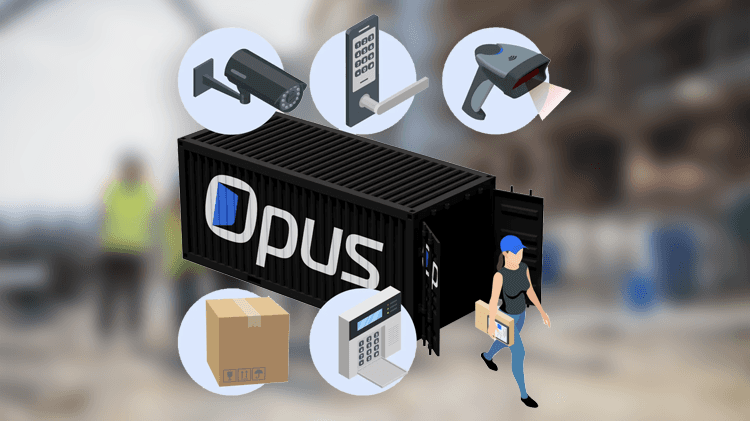
Before we get started, let's be clear what this is and what it isn't. A 24/7 click & collect store on a construction site is a secure, staffless supply point. Authorised users order materials online and collect them whenever they need to, day or night, using their unique PIN code. It's not a vending machine, locker system, it's a properly stocked store with intelligent inventory management, CCTV security, and real-time reporting. Just without the person behind the counter.
Opus, our autonomous fulfilment platform at Sellfware Technology, provides the full technology stack to make this work. Here's what the setup process looks like from start to finish.
Step 1: Pick Your Physical Format
You've got three main options, and the right one depends on your project.
Shipping Containers are what most clients go with for standalone deployments. A 20ft unit holds more stock than you would expect: PPE, consumables, hand tools, MRO supplies. They're portable, secure by design and can be placed wherever makes sense: site entrance next to welfare cabins, compound level. When the project moves, the store moves with it.
Existing storerooms are the fastest route if you've already got space allocated on site. We retrofit them with smart locks, CCTV and barcode scanning infrastructure to create a controlled environment. Minimal disruption, lowest cost, and particularly well suited to Opus Core.
Pop-up retail units work differently, they are more of a commercial play. Distributors and suppliers use these to put forward stock locations directly at their customers' sites. It creates a staffless sales channel that runs around the clock without the overhead of sending someone to manage it. We've seen this model strengthen client relationships considerably.
Step 2: Get the Security and Access Layer In
Every Opus store needs three things on the hardware side. Smart locks give you PIN-based or biometric entry so there is no more worrying about managing physical keys or who has the spares. CCTV cameras record every entry and every movement inside the store, so you've always got the visual audit trail. And an alarm system that arms itself when the store's empty and disarms automatically when someone punches in a valid PIN.
If you've already got CCTV and locking systems on site, Opus can often integrate with what's there. Not every deployment needs a complete hardware install from scratch.
Step 3: Configure the Platform
With the physical space sorted, we set up the Opus cloud platform to match how you actually operate. That means building out the product catalogue with what's available to order, the price, images and stock quantities. User accounts get created for everyone who needs access, each with their own spend limits and authority levels. You can set collection windows if you want structured access, or leave it wide open for genuine 24/7 availability.
One thing that tends to reassure clients early on: Opus connects to your existing back-office systems via API. So order data, stock movements, financial transactions, it all flows straight into your ERP, WMS or procurement platform. No one's re-keying data into a spreadsheet.
Step 4: Stock It and Switch It On
Initial stock gets delivered and barcoded. Each item is scanned into the Opus inventory system, which establishes your baseline stock levels. From that point, the platform manages them automatically. Users get their login credentials and access instructions by SMS and Email.
And that is it, you're live. Workers browse and order from their phone, receive a one-time PIN for collection, walk in, scan their items, walk out; Opus handles the rest. Order notifications, reminders for uncollected orders, automatic restock alerts, the rest is managed by the platform.
Step 5: Watch the Data and Keep Improving
This is where it gets interesting. Once the store is running, the Opus dashboard gives you real-time visibility into everything: order volumes, collection times, stock levels, who's ordering what, and how much spend breaks down by team or individual.
If you're running multiple sites, the centralised dashboard means one operations team can oversee dozens of Opus-powered stores remotely. You scale the model across a project portfolio without proportionally scaling headcount. That's where the economics get really compelling.
How Long Does It Take?
A typical deployment runs between five and fifteen working days from initial site survey to go-live. Container-based setups with standard hardware sit at the shorter end. Storeroom conversions with bespoke racking or CCTV or ERP integrations take a bit longer, but we haven't had one exceed a month yet.
In Summary
Setting up a 24/7 click & collect store on a construction site sounds like a big infrastructure project, but it isn't. With Opus, it's a structured, repeatable process that gets you from empty space to a fully operational store in days. The payoff: reduced procurement costs, zero downtime from stockouts, complete inventory all starts from day one.
Steve Murray
Business Development Director
Share